
With our quarterly bets for Q1 finished, we are now focusing on user submitted requests on the roadmap.
New category lists
By far our biggest rework project of the year, we’ve re-written most of the code related to category lists (listing your world’s characters, locations, maps, or custom categories). What was until now 6 separate interfaces (and 6x the code to support it all) is now a single point of entry.

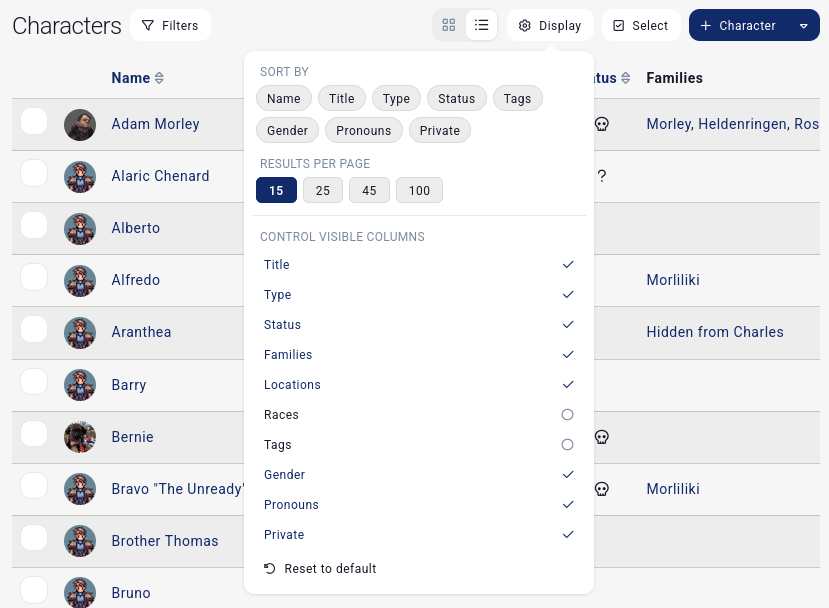
First off, the buttons. Filters haven’t changed much. But then you’ll quickly notice new things. The first is a toggle between grid and table view. This doesn’t reload the page. This changes the layout of what’s currently visible.
Next up, display. We had a lot of fun with this one. It shows the available sortable fields (and no page reload, it dynamically changes the content). We now also expose results per page. Goodbye the user setting that applies everywhere at all times. It’s now a saved property per campaign and per category. (same with the grid/table toggle). You can now also control which columns are visible! And this is also remembered per campaign per category. So if in your world A you want to show a character’s races but not in your world B, Kanka remembers your choices based on context. Neat!
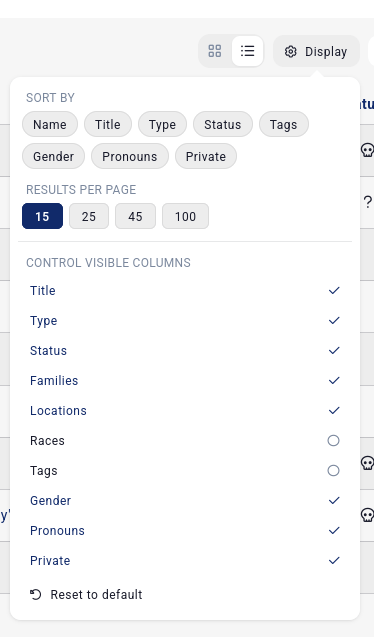
The select button activates “select mode”, which was previously missing on the “grid” mode. You now no longer need to switch to ugly tables just to batch update a bunch of characters. Neat!
The last + character and archetype dropdown doesn’t change.
Nested categories
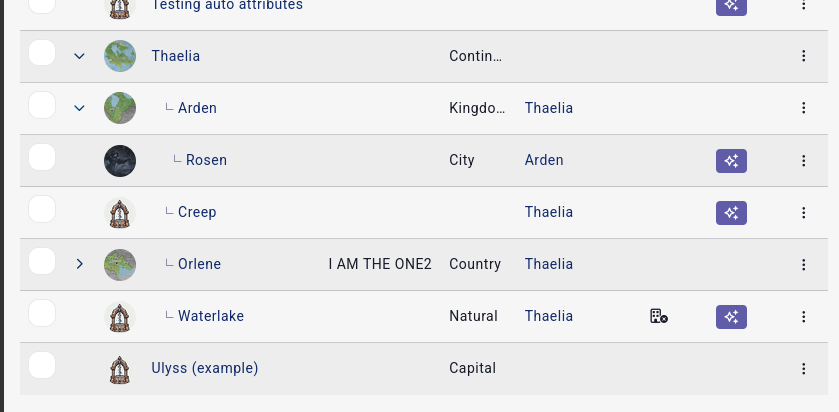
Nested categories (like locations) have a new system for handling nested content in table mode. Arrows? Yes, arrows. No page reload, just inline loading.
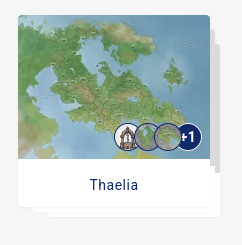
In grid mode, we show up to 3 image previews of children entries to better showcase that the element has children.
We’ve also made it so that on mobile, long-pressing on a card or row will enable “select” mode.
We’ve built this new interface and code to, in the future, support a unified “show me all entries of my world and allow me to filter them on common fields” interface.
New features and improvements
Objects can now have multiple creators. That magic ring created by Frodo and Sam? Now totally possible, it’s canon!
Events can now be linked to multiple locations. Adam Morley’s birthday can be celebrated in multiple cities.
Locations get a “Title” field that acts the same way as a character’s title. We’ll let you decide which one of your cities deserve the title “greatest city in the world”.
Tags get a new “icon” field that supports font awesome icons. If a tag has an icon set, it will render that icon instead of the tag’s first letter / emoji in lists.
Tags are no longer bound to a pre-determined list of colours, and can instead be of any colour.
Characters are no longer bound to being alive or dead. They can now be in between: missing!
Quests get a similar update. They can be “not started”, “ongoing”, “abandoned” or “completed”.
Quest elements get a new checkbox to display their linked entry’s description, the same way map markers have that feature. Useful when you don’t want to be copy-pasting content all the time.
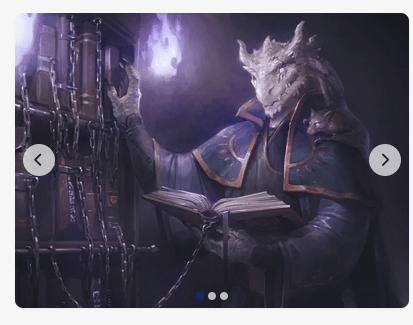
We’re adding a new “Gallery” dashboard widget to show images from a selected folder in a “carousel”.
Pinned mp3 files now render as a small audio player instead of a simple link. I ran out of witty examples.
When viewing an entry’s relations table, the relation name can now be clicked to go and edit the relation, instead of having to click on “…” and then “edit”.
Events can now be filtered by location.
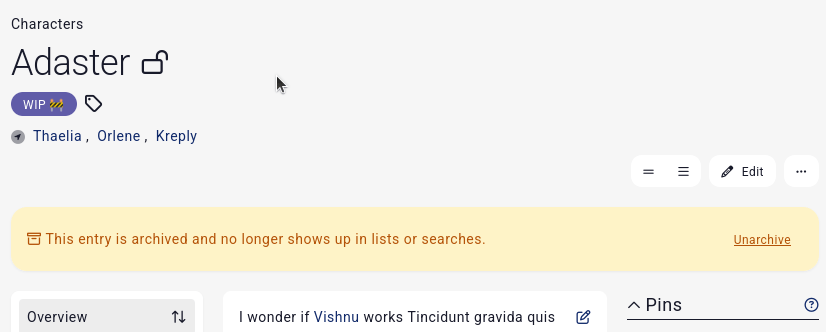
Archived entries now show an alert so that they don’t go unnoticed. You can hide these with custom css.
We’ve added fields to multiple “bulk update” forms like for an object’s weight/price/size, a race’s extinct status, a journal’s author and date, an org’s defunct status, a quest’s status and instigator, etc.
Article improvements
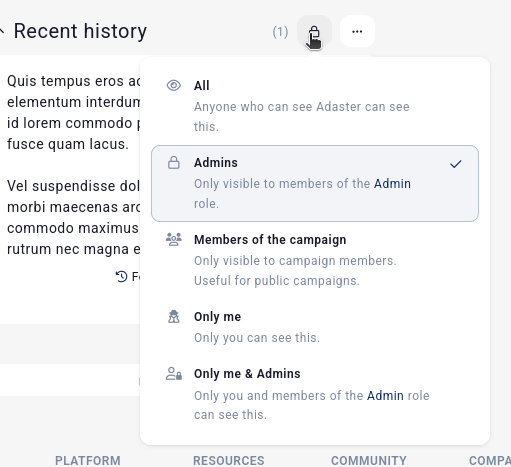
We’ve reworked various interfaces related to articles. In the list of articles, the “privacy” button has a better ui to explain the various visibilities.
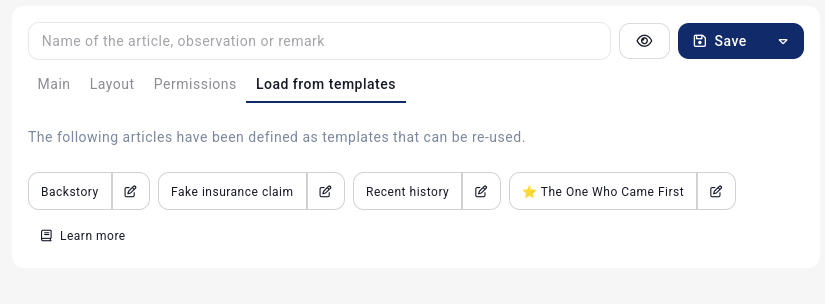
When creating or editing an article, the article’s name is now above the tabs and always visible. The visibility dropdown is replaced with the visibility selector in the above screenshot. The remove button when editing an article is now in the top bar, you no longer need to scroll forever.
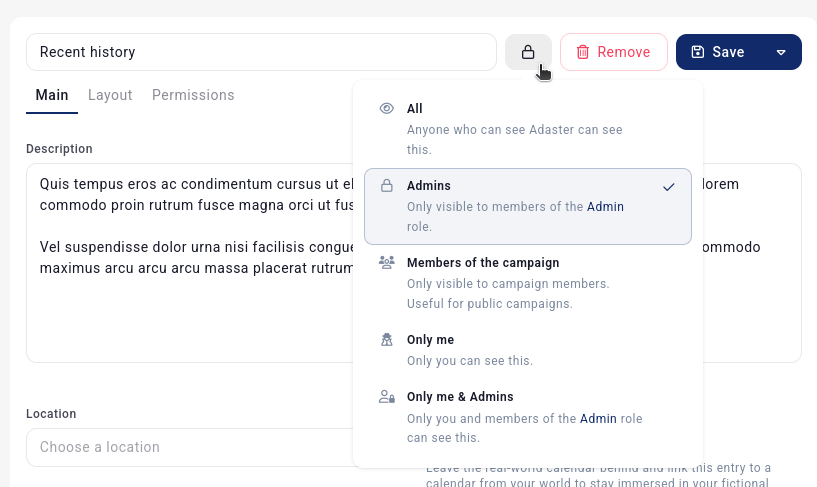
We’ve also moved a bunch of options in a new Layout tab.
When creating a new article, the load from templates tab now also has a link to go and edit each template, and a link to the docs.
Keyboard shortcuts
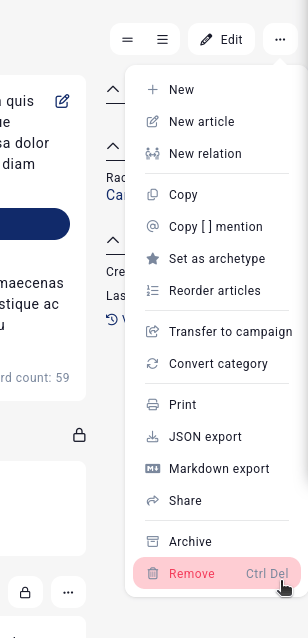
When viewing an entry, a new ctrl + del keyboard shortcut was added to quickly delete an entry.
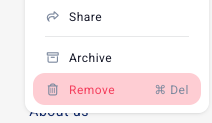
Mac users will now also see the cmd icon instead of ctrl on all shortcuts.
API changes
Breaking changes: all nested endpoint lose their “parent_id” property. For example, organisations no longer have an organisation_id property. Locations no longer have a parent_id. This is now all tracked on the entity’s parent_id property instead, and references other entities.
When getting an entry’s properties, the value property of checkbox now is a boolean if the property is a checkbox, instead of being “” or “1”.
Bug fixes
Fixed various issues with labels breaking due to the new nomenclature.
Updating a plugin’s description no longer deletes its tags.
Fixed several slow queries on campaigns with lots of roles and custom permissions. The forms to create and edit entries should be noticably faster now if you have thousands of permissions.
That’s it for this update!
As always, a huge thank you to our amazing subscribers for making these frequent updates possible. Come say hi on our Discord we share early previews of what’s coming next.
 Kanka Blog
Leave a comment