
As we quickly approach the end of the year, we wanted to finish off with an update not focused on new features (we’ve done a lot of those this year!), but on polish. We want new users to know that they’ve found the right home for their worldbuilding endeavours, guiding them along the way as much as possible to avoid any doubt.
Onboarding selection
New accounts are now greeted by this quick (and skippable) onboarding screen. We give them a chance to change the campaign’s default name, and select a preset.

Selecting a preset will disable some modules, rename the player role, give the player role some default permissions, and create more example content for you to showcase Kanka’s different modules.
New dashboard
Say goodbye to our “welcome” dashboard widget wall of text. Instead, we’ve created a new “getting started” widget that gives you some quick and easy tasks to discover Kanka.
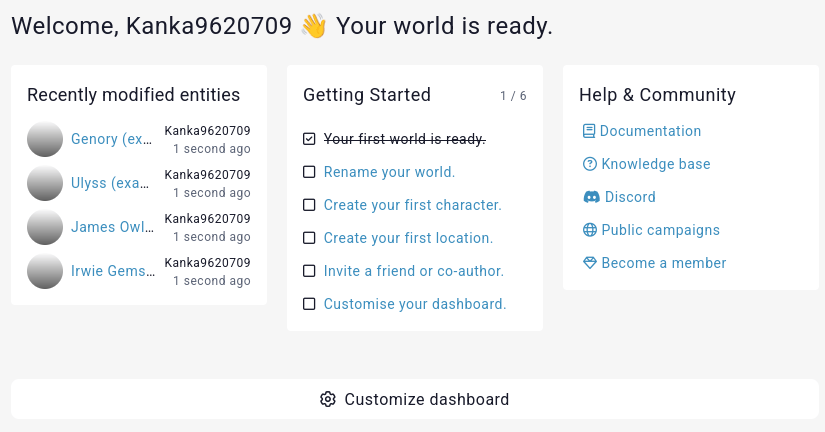
Each task takes you to the proper place to complete it. For example, if you create your first character, you get some more introduction to the module!
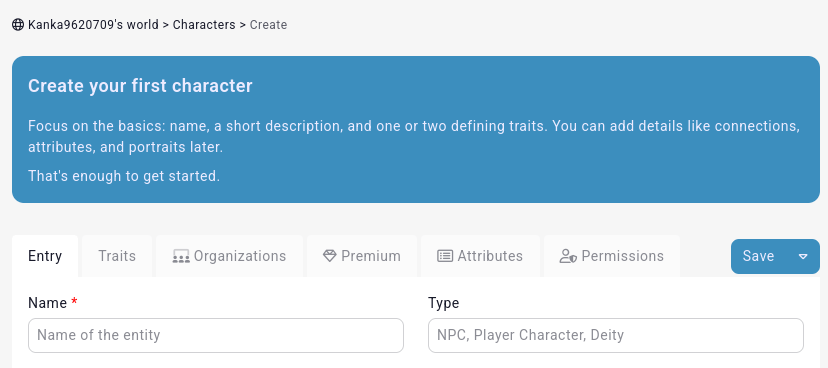
We’ve sprinkled these small introductions throughout the app that only appear once.
Campaign settings
We’ve also done a bunch of changes in the campaign settings interfaces. We focused on changes that come up frequently in feedback or through our own logs of how people use features.
Firstly, we’ve made some subtle tweaks to the sidebar.
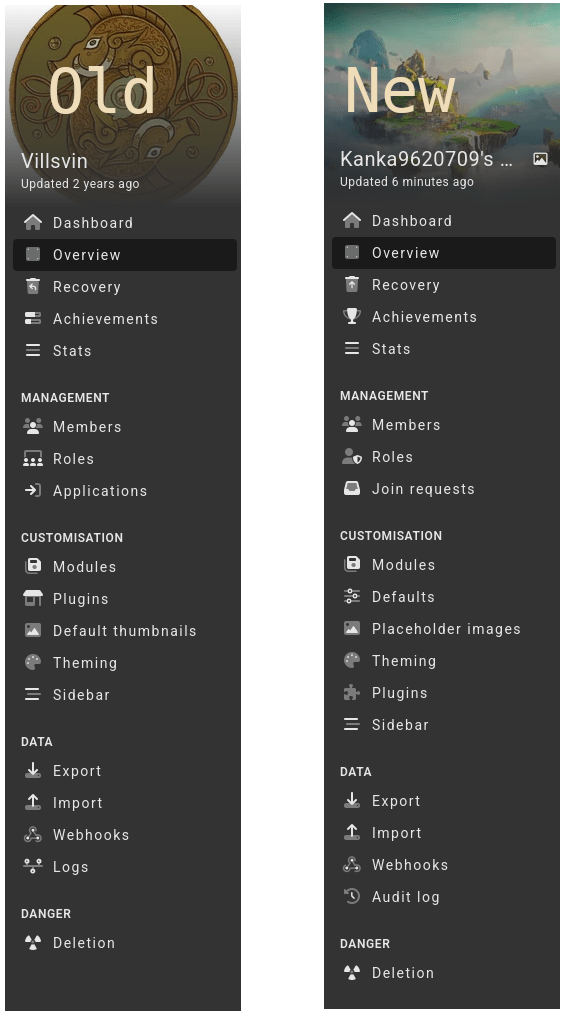
- Achievements get a trophy icon instead of whatever the old icon was supposed to convey.
- Roles get a more standard user+shield icon instead of the organisation icon it had.
- Applications become “Join requests” to immediatly convey what’s going on.
- Default thumbnails are renamed to Placeholder images to better convey what they do.
- Plugins get a typical “plugin” icon instead of a “shop” icon.
- Logs get renamed to “Audit log” and get a corresponding icon.
Defaults page
Those with keen eyes will notice a new “Defaults” element in the sidebar. We previously had a bunch of settings in the campaign edit form under an “interface” and “permission” tab that had nothing to do with the interface or permissions, but pertain to default settings. From our own logs, these settings are also set once and usually never touched again. Or if they are changed, it’s because their functionality isn’t clear. So we fixed all of that by simplifying the campaign edit form and adding this new defaults page.
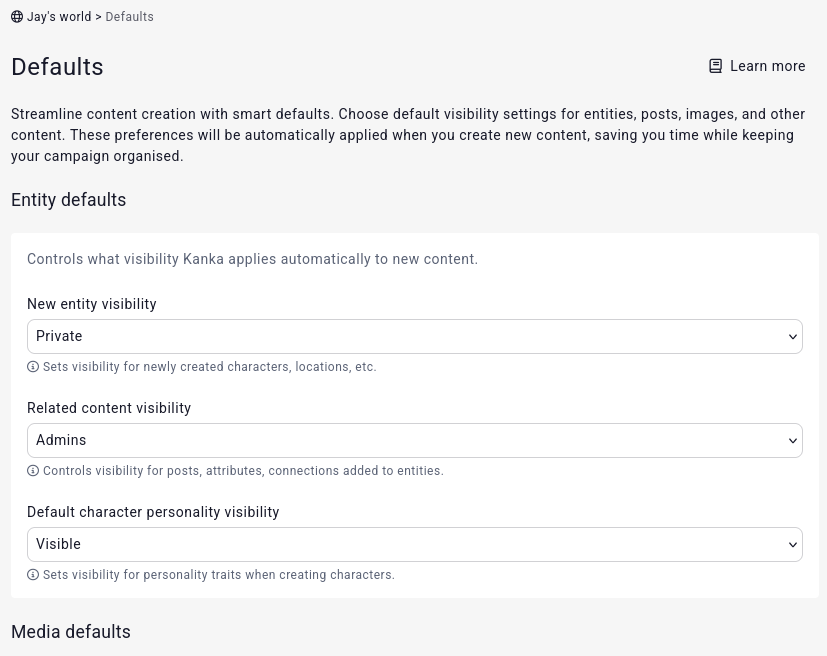
This includes default visibilities and default behaviours.
Campaign visibility
Talking about the campaign edit form, we’ve changed that too. We’ve renamed a bunch of fields and rewrote most helper texts to go straight to the point.
But most importantly, we replaced this mess:
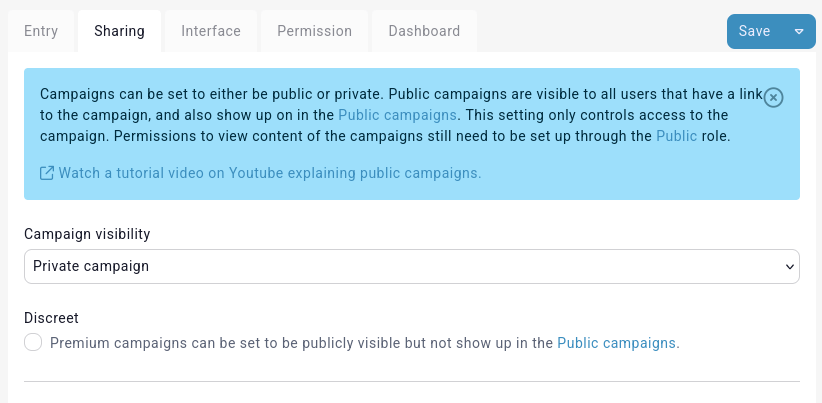
With this:
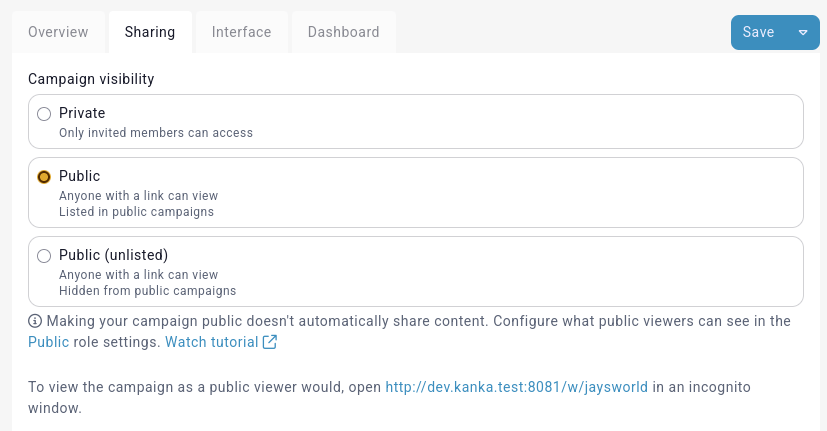
Highlights include:
- Renamed the “discreet” setting into “unlisted” and made it part of the visibility choices.
- Clearly state that each visibility entails, so we can remove the big blue word salad above it.
Modules
I’ve never been happy with the modules management interface and finally decided to do something about it. I’d say try and guess the changes by looking at the new one, but hopefully you haven’t spent years looking at the old one like I have.
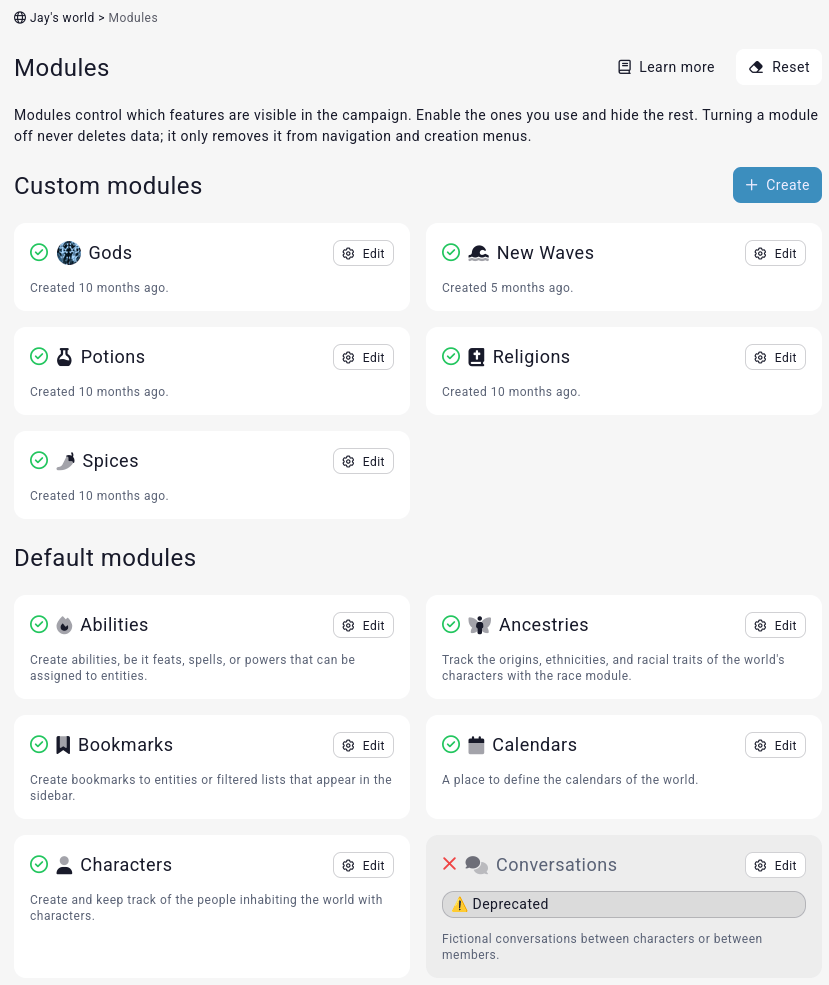
Among my favourite changes are:
- Firstly, each box is a lot more compact, so we can fit more on the screen.
- The fact that you can edit modules is now clearly stated in the big edit button, instead of having to guess that you can click on the cog icon.
- Clearer visual clues about which modules are enabled vs disabled.
- If a module has a placeholder image, it uses that instead of the module’s icon.
- Clearer sign that a module is deprecated.
- Custom modules have info about when they were created. We’re toying with idea of adding entity count here.
- You can now enable/disable a module in it’s edit interface. It is no longer possible to accidently toggle a module just by scrolling!
- You can now also add/remove a placeholder image directly in the edit form, instead of having to go in a separate interface all-together.
Entity actions
The question “how to I change an entity’s module” or “how do I copy an entity over to another campaign” come up frequently on our Discord, so we’re renaming those options into something way more obvious. We’ve also added more helper text on those pages to better explain what’s about to happen.
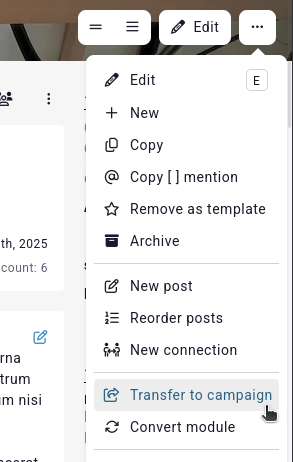
Changes
- Move => Transfer to campaign
- Transform -> Convert module
Markdown exports
Bet you didn’t see that one coming! Unless you frequently check our roadmap, in which case you knew exactly what was coming.
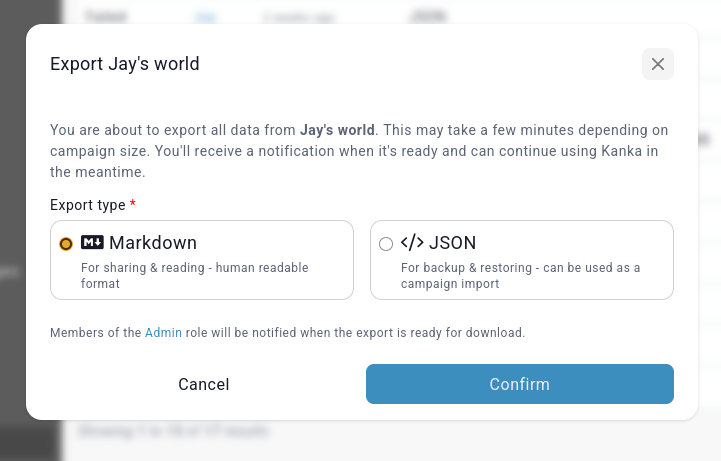
Introducing campaign markdown exports to premium campaigns! When starting a campaign export, you now get a choice between both options.
Under the hood changes
We’ve upgraded tailwindcss, the framework that powers our user interface, from version 3 to 4. We’ve also removed all our custom css code written in “sass” and converted it to standard modern css. Vite was also bumped from version 6 to 7 to get some nice speed improvement on our end.
We’ve also made several changes to how we serve some assets to speed up how fast Kanka loads on an empty cache. The Roboto font we use for titles is now bundled in our code rather than loaded from Google’s APIs. We’ve fixed several wrong dns-prefetch and preconnect link tags which also helps with speed. Lastly, we’ve reduced each page by several kilobites by no longer inlining SVGs but caching them in a sprites file, hosted on the edge for super fast loading.
Oh and since work never ends, we’ve introduced more aggressive caching for guest users and rate-limiting that should help reduce the strain bots and AI crawlers force upon our servers, resulting in overall better performance.
That’s it for the overview of this release. You can follow along what we’re working on next on our roadmap.
As always, thanks to our amazing subscribers for making this huge updates possible! Come join us on our Discord to get early sneak peaks of future updates.
 Kanka Blog
Comments
One response to “Version 3.6 – Onboarding new users”
[…] know, I know. But Jay, you gasp, it’s only been a week since Kanka 3.6 came out. And I hear you – I wasn’t planning an update so quickly, but things just […]
LikeLike