
TTRPGs and worldbuilding can be more fun with friends! To invite your players to your Kanka campaign, the only requirement is that you are an admin of your campaign.
In the navigation menu, click on “Campaign” or “World”, then on the “Members” submenu.

From this page, scrolling down will reveal the Invite feature. There are two systems to invite friends to your campaign.

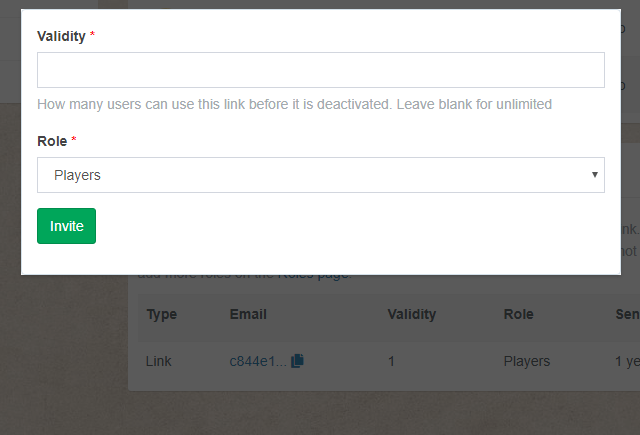
This section has a Invite people button. With it, can select how many times the link can be used (in case you are afraid of people leaking the link), as well as the role users will be joining as. For security reasons, it is not possible for people to automatically join the campaign admin role.
This will generate a link that you can send to your friends. Clicking on the icon next to the link in the “Token” column will copy the link again to your clipboard.
 Kanka Blog